Tuesday, 20 January 2015

Drupal 7 : Saving Views prints machine code

This is something thats happened a couple of times to me on different projects; so I though I'd document it.

On saving a view I was getting a page of output that started with  
[{"command":"settings","settings":{"basePath”:  

The issue here is with JQuery.  So take a look at what JQuery is being used or install the 'JQuery Update' module. 

Drupal 7 adding User to Menu Link.


Adding %user to Menu Link  - use tokens -  try the ‘Menu Token ‘  module. 

Here's how I solved this one. 

Installed the Module Menu Token  .  I had to use the Development Release here as the Recommended release did not work for me.  It also needs the Universal Unique Id module .

1. Add the module 'Menu Token'
2. Go to the Modules 'configuration'
3. Add the entities that you'll be needing the tokens from ..
4. Add your path link following the modules instruction - ie user/[current-user:uid]/profile
5. tick 'use tokens'
6. Select how you want this relationship to work from the dropdowns. ie 'Method for Users' = 'User from context'

For menus go to add links and then follow the instructions from stage 4. 

Monday, 19 January 2015

Drupal 7 Commerce : Drupal Page Manager Views not showing in Pane selection


Drupal Page Manager Views not showing in Pane selection


Enable the module ' View Content Pane '

Drupal 7 Commerce : All products to be listed on one page.

Here's the look we're trying to achieve. 


Step-by-step guide

  1. Install this Module - 'Commerce Add to Cart Extras ' - https://www.drupal.org/project/commerce_add_to_cart_extras
  2. Add a View
  3. Type = 'Commerce Product'
  4. I've used a Megarow Table as the Format in my example. 
  5. in Fields I've Added 'Commerce Product: Product ID' , 'Field: Title' 

Drupal 7 Commerce : Inventory Stock Ordering Page.

For Inventory Administration we would like an easy to use page where stock can easily be update. 

Step-by-step guide

  1. Install 'Commerce Stock' module .  - https://www.drupal.org/project/commerce_stock
  2. install ' Editable Views ' module .  https://www.drupal.org/project/editableviews
  3. Add a new view
  4. Select 'commerce product' 
  5. Display Format should be set to 'editable table'
  6. Add the fields you wish.  using (editable) version for where you want to be able to edit it. 


Drupal 7 Commerce : How to Return a list of a Users Orders in Views.

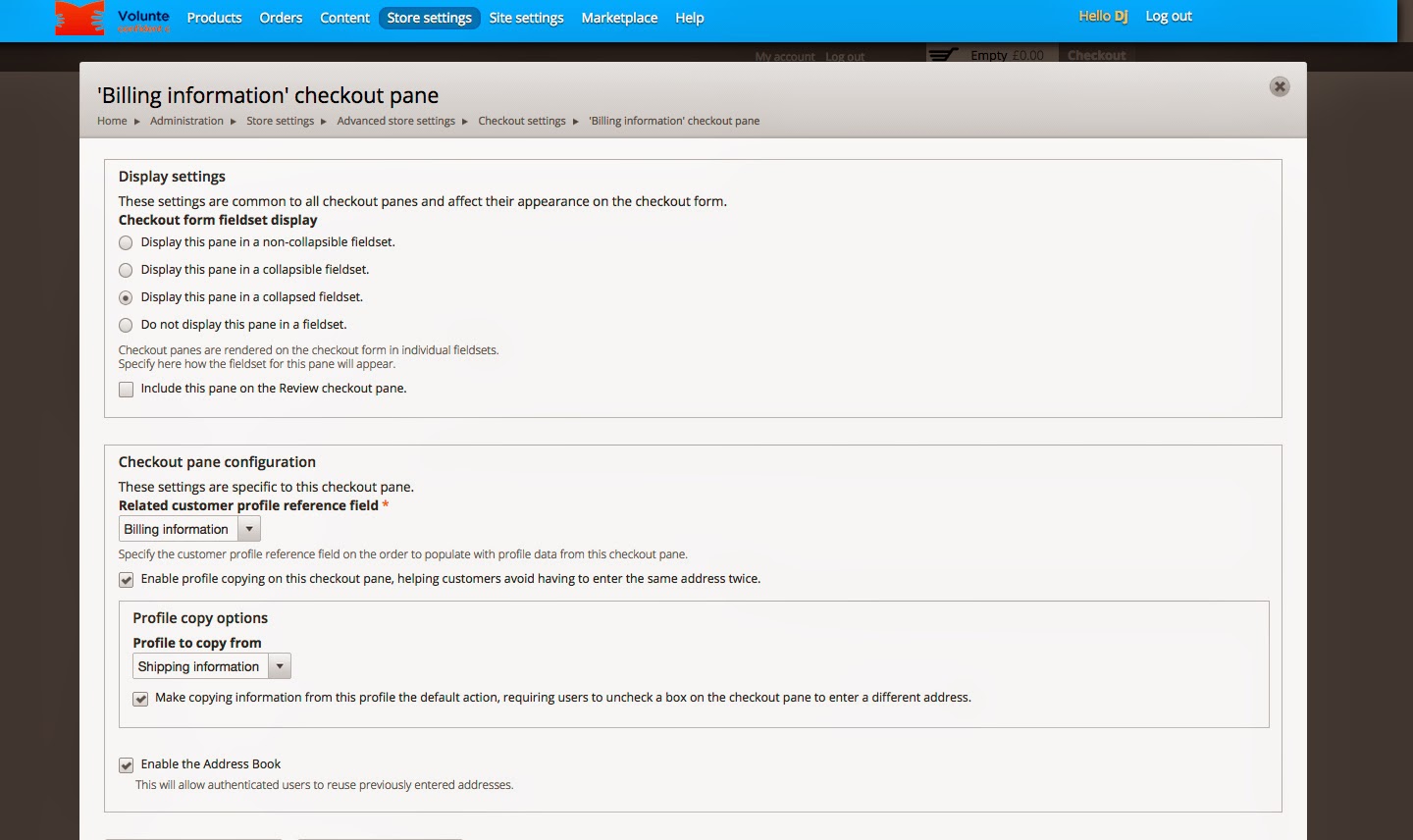
The aim here is to reduce the checkout process as much as we can; as in the website we are currently  creating we do not need  user address, Shipping and payment.

Step-by-step guide

  1.  Login to 'Store settings'
  2. Drag and drop 'Review' and 'Shipping Service' under 'Disabled'
  3. See images for further setup instructions
  4. You can then use CSS to get rid of things that don't need to be seen


Drupal 7 - Page Manger - Panels - No gear button - Can't add Views

In the eventually you can't see the 'Gear button' on Panels / Panelizer .   Like this


This is a JQuery issue.

You should either add the module 'JQuery Update'  ; if you have already installed this module then you may well need to check the settings.  Try changing the default JQuery version or the 'Alternate jQuery version for administrative pages'  .  Save and Clear Cache.